
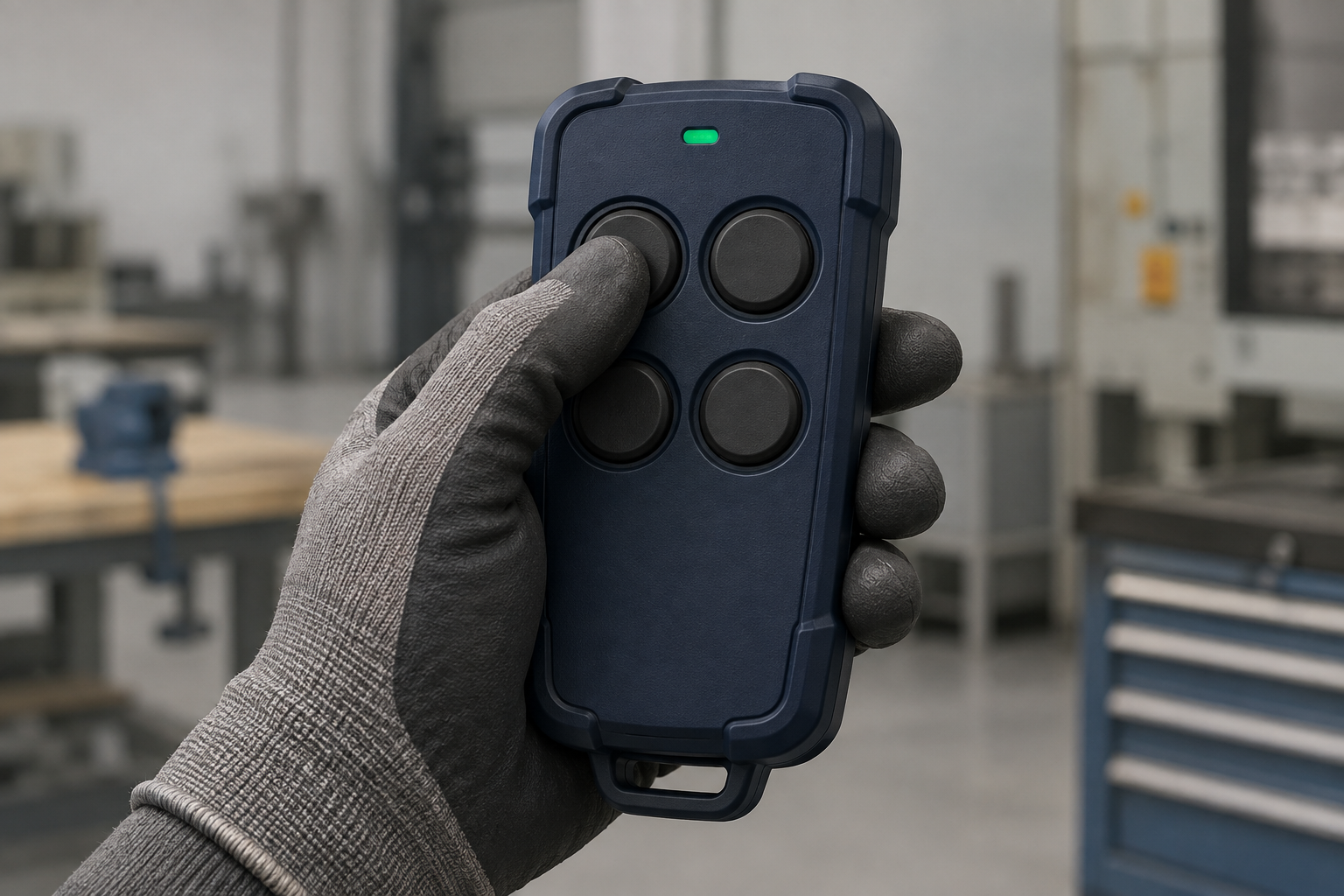
Choose the handset with the gloves your operators actually wear. They should be able to find the intended button, press it cleanly, and release it without shifting their grip or touching the next control. If they cannot do that consistently, the remote is the wrong fit, however good its radio specifications look.
A compact key fob can be perfectly suitable for an occasional door command. The same enclosure may be frustrating when someone uses it repeatedly with thick work gloves. The useful question is not whether the remote works with gloves once. It is whether it remains easy to operate through the actual job.
Start with the glove, not the enclosure drawing
“Glove compatible” is too vague to put on a purchase specification by itself. A thin coated glove and a padded winter glove give the thumb very different reach and feel. Bring the actual glove type into the sample review, including the heavier version used in cold weather.
Ask operators to hold the handset naturally before explaining how you expect them to use it. Watch where the thumb rests and whether the case sits securely in the palm. If everyone has to adopt a special grip to make the layout work, that is a design issue worth resolving before the order.
Do not solve an awkward handset by asking people to remove gloves required for the task. Select the control around the working conditions.
A large button can still be too close to its neighbour
Button diameter is only part of the problem. The gap between active surfaces, the height of the buttons, and the shape of the surrounding case all affect whether a gloved thumb can isolate one command.
Two broad buttons with almost no separation may be harder to distinguish than slightly smaller buttons with a clear physical boundary. A raised divider can help, but a deep recess can also stop a bulky glove from reaching the button properly. Check the assembled sample, not just the front-panel artwork.
Press each button from a normal grip, including the ones at the far end of the case.
Repeat with the edge of the thumb, as happens when the operator reaches across the layout.
Watch the receiver outputs for an adjacent command; do not judge only by how the press feels.
Release and move to the next button without looking down continuously.
There is no single spacing value that makes every handset suitable for every glove. The control layout, glove thickness, hand size, and task have to be tested together.
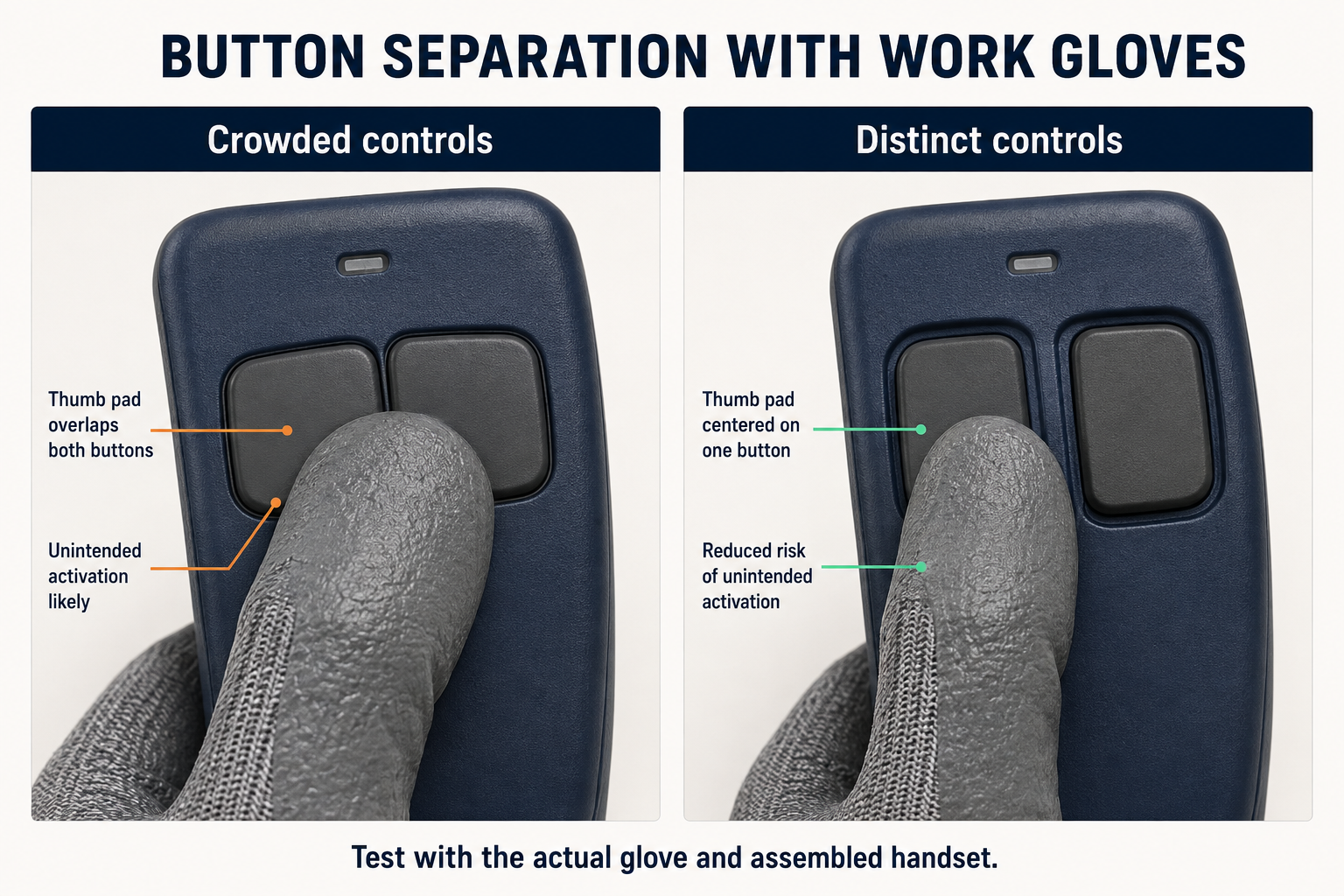
Illustrative layouts: check button separation with the actual work glove. This comparison does not specify a minimum gap or represent a tested product.
Feel the press, then prove the command separately
A distinct tactile response helps the operator judge a press. It does not prove that the receiver accepted the command or that the machine carried it out. Keep those observations separate during the sample test.
Very light buttons deserve particular attention where the remote rests against clothing or is carried in a pouch. Very stiff buttons create a different problem: the operator squeezes the case harder, changes grip, or struggles to maintain a deliberate press. More force is not automatically better protection against mistakes.
For a function that requires a sustained press, test it for the duration of a normal operation. A button that feels acceptable for one second may become awkward during a longer movement. Check for unintentional release as well as difficulty pressing it. The receiver's output behaviour still needs its own verification; this test is about the operator's hand.
Check the furthest button with one hand
A handset can fit comfortably in the palm while its top row remains out of reach. If reaching that row makes the case slide down the hand, the operator has to choose between a secure grip and access to the command.
Try the sample with several intended users, including different hand sizes. Include left-handed use when the job allows or requires it. Pay attention to the underside of the case and any battery-cover step that presses into the fingers.
Texture can help the grip, but judge it under the conditions the enclosure is designed to tolerate. A glossy case that feels secure when clean and dry may behave differently with the gloves used on site. Do not improvise liquid or chemical exposure tests beyond the product's stated limits.
Make direction obvious before the operator presses
Letters such as A, B, C, and D are convenient for a general-purpose transmitter. On a machine, meaningful function labels can save the operator a translation step. Confirm what each button does before approving the artwork.
For directional commands, define the reference point. “Left” can mean different things to people standing on opposite sides of the equipment. Where appropriate, match the handset labels to fixed markings on the machine and to the operating instructions.
Check the labels while the handset is being held. A thumb can cover a perfectly legible symbol. Colour is useful supporting information, but the command should not depend on colour alone. Physical position, clear symbols, and readable text should agree.
Test carrying it, not just using it
Accidental presses can happen between operations. Place the handset in its intended holder, clip it where it will actually be carried, and pick it up again. Check whether the holder, clothing, or the act of gripping the case presses a button.
Do these checks with machine motion disabled through the approved test arrangement, while monitoring the commands. Do not deliberately provoke accidental commands on operating equipment.
A recessed button, cover, or dedicated holder may help, but each introduces a trade-off in access. A cover that takes two hands to open may be unsuitable for the normal task. A neck strap or wrist strap also needs assessment for the working environment, particularly around equipment where it could snag.
Button guards and firm switches are measures against unintended operation. They do not turn an ordinary RF handset into a safety-rated control or replace the machine's protective functions.
Run a small, repeatable sample trial
Keep the radio link at a reliable short distance for this trial so poor reception does not obscure the handset assessment. Use the intended receiver and monitor its outputs with hazardous movement prevented. Then run the same sequence with each sample.
Identify: ask the operator to locate the requested function without coaching.
Press: make a series of separate commands with the actual work gloves. Record missed presses and adjacent commands.
Hold: where the function calls for it, maintain the press for a representative operating period. Note grip changes and unintended releases.
Transfer: move between frequently used buttons and check whether the handset slips or needs repositioning.
Carry: put it into its normal holder, retrieve it, and repeat while monitoring for unintended commands.
Record the glove model, operator feedback, handset version, and what actually went wrong. “Difficult to reach the upper button without sliding the case” is actionable. “Doesn't feel industrial” is not.
A short trial helps compare samples; it does not establish long-term durability or validate the complete machine. Follow it with the application tests appropriate to the equipment.
What to include in the handset brief
Send the supplier the function list, glove types, expected press frequency, longest normal hold, preferred carrying method, and the working environment. Add whether operation must be one-handed and which commands are used most often. Ask for button operating-force information, relevant environmental ratings, and a production-representative sample.
Approve the final button legends, case, and any protective boot together. A boot or keypad change can alter reach and feel even when the electronics stay the same.
The handset is the part of the wireless system the operator deals with all day. Give it a proper trial before fixing the enclosure choice. A few awkward presses on the bench are useful feedback; the same awkward presses repeated throughout a shift become a product problem.
Related reading
Background reference: CCOHS: Hand Tool Ergonomics — Tool Design explains general grip, glove, and handle considerations. Its hand-tool dimensions are not RF handset specifications; the sample checks above are application guidance.